(Japanese version) Integrated package software TRAMS
* Software downloads are
a members-only service.
*If you wish to download, please
login as a member and click "Download."
The download button is at the bottom of the page.
Comprehensive software for setting, recording and analyzing
Integrated package software "TRAMS IV" TRAMS is software that sets parameter for our recorders, controllers, and indicators, collects data, and performs data analyzing.
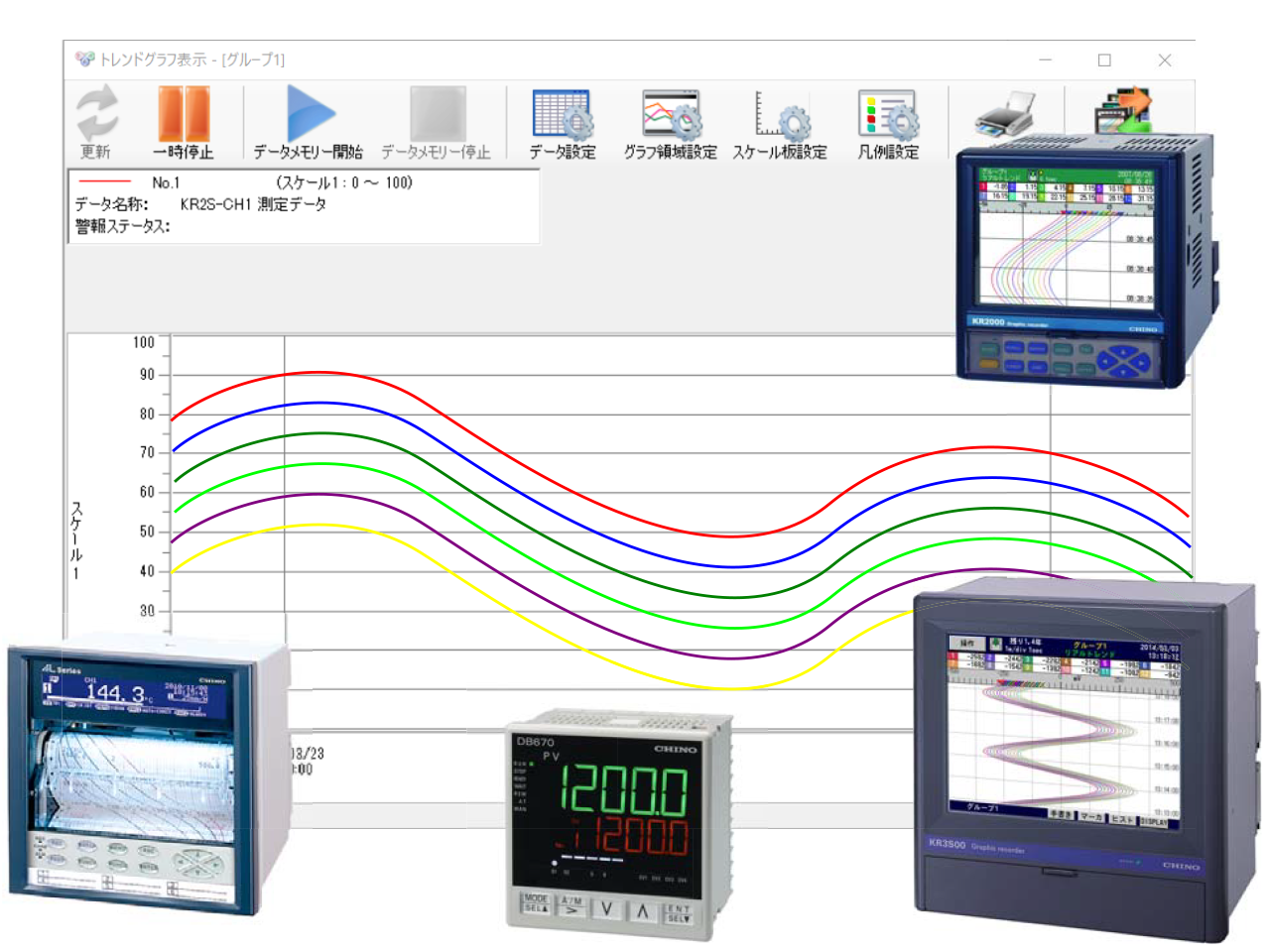
parameter Settings
- Easily set various parameters
- Editable online
- parameter files can be reflected later.
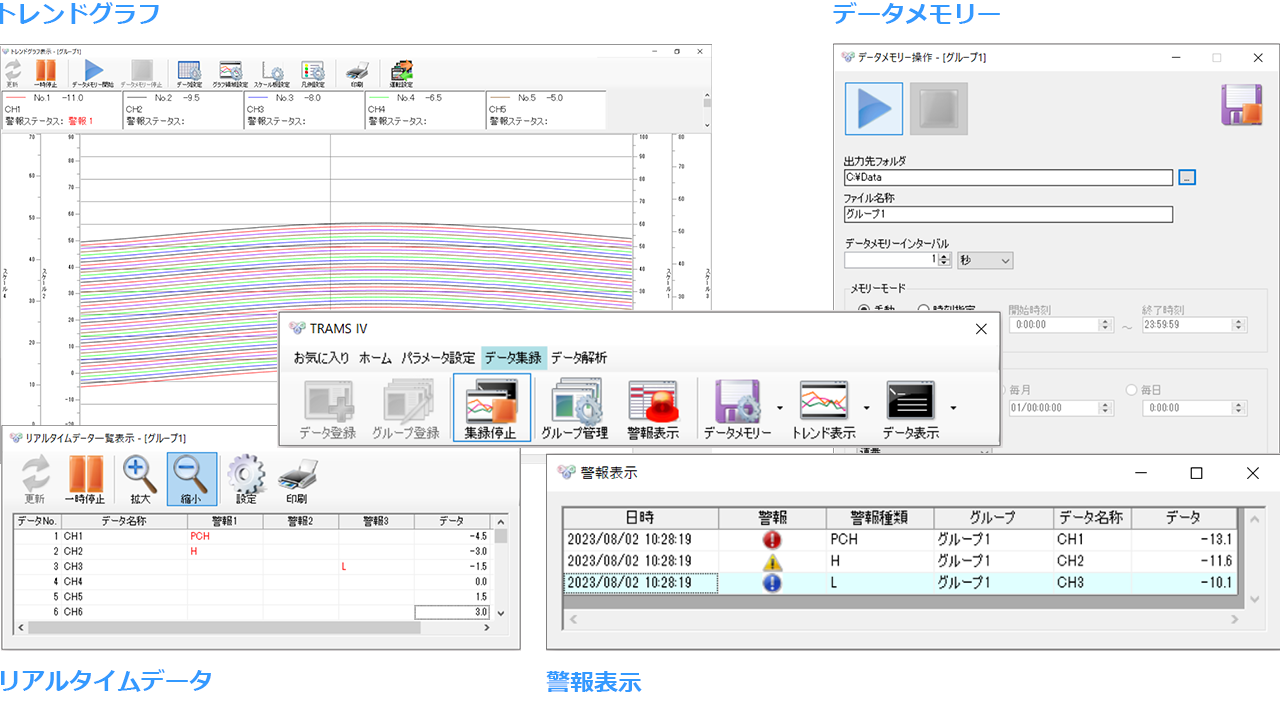
Data acquisition and monitoring
- Can handle up to 300 pieces of data
- Recorders, controllers, and indicators can be connected together
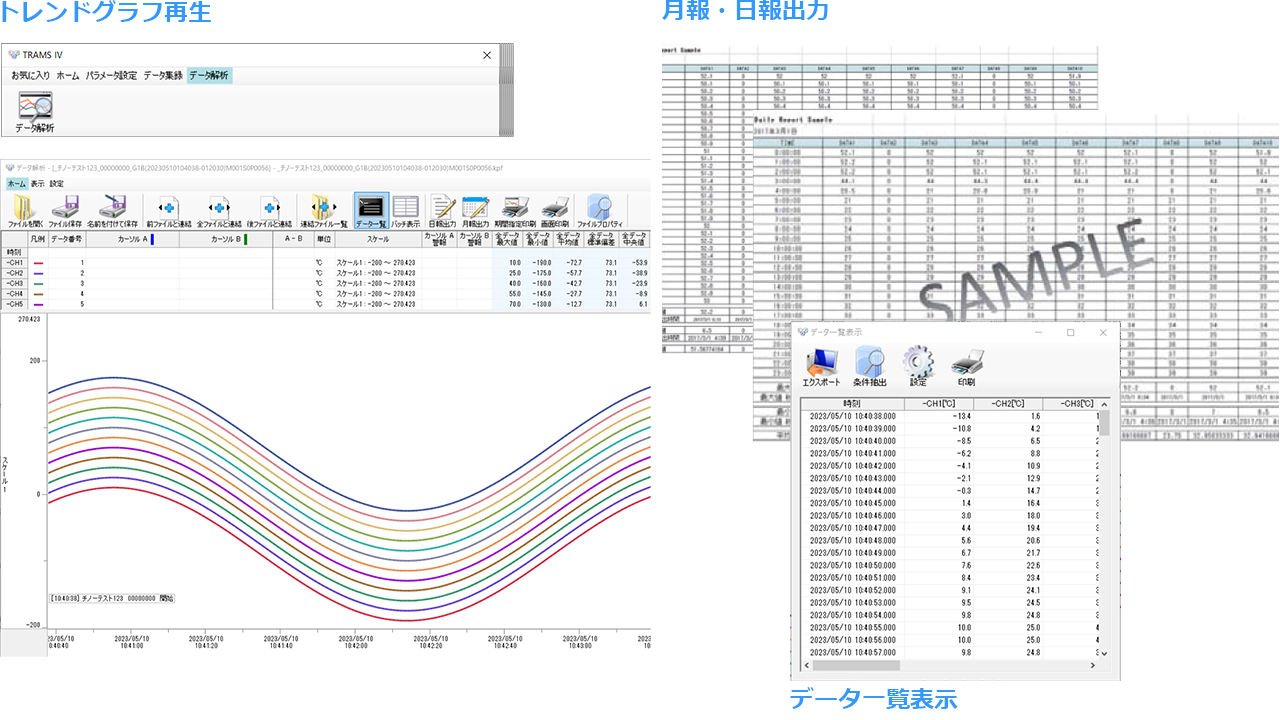
4. Data analyzing
- Outputting reports using Excel sheets
- Signature for recorded data file (KR with heat treatment support function)
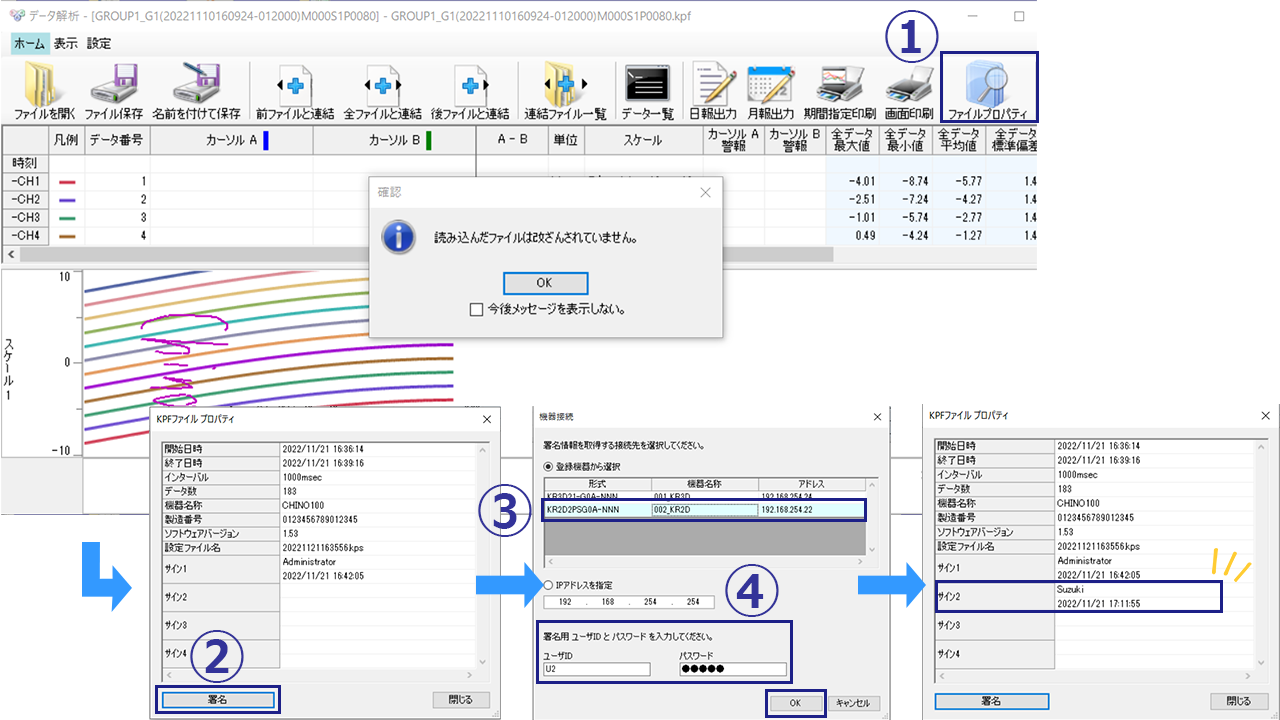
procedure
- Copy the data file to your PC (e.g. FTP)
- Open the file in TRAMS and click the Signature button on the file properties screen.
- Select the heat treatment support specifications KR to connect to
- Enter your user ID and password
Device connection example
- Supports Ethernet, serial and USB communication
- Supports flexible system construction
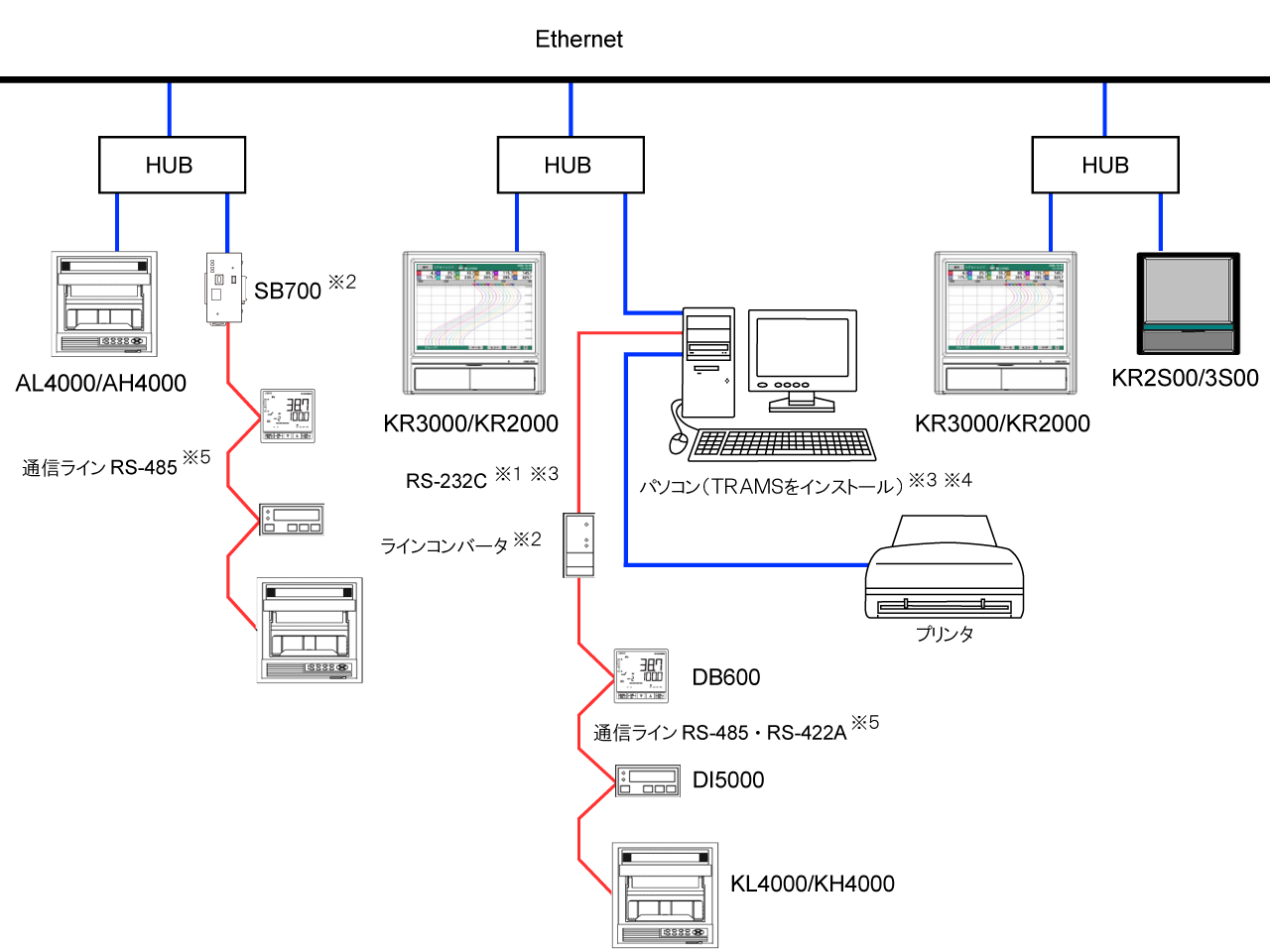
- *1 Only one serial port can be registration.
- *2 The maximum number of compatible devices that can be registration is 32, including all Ethernet and serial ports. (However, the maximum number of devices that can be connected to interface converter or SB700 via RS-485 is 31.)
- *3 If your computer does not have a serial port (RS-232C), a USB-RS232C converter is required.
- *4 Ethernet ports and serial ports can be used together.
- *5: It is possible to mix controllers, indicators, and other models on one communication line, but communication modes (RTU mode, ASCII mode) cannot be mixed.
TUS report creation support (license key: paid)
・Support for inspections and report creation to meet the requirements of AMS2750 for Nadcap certification
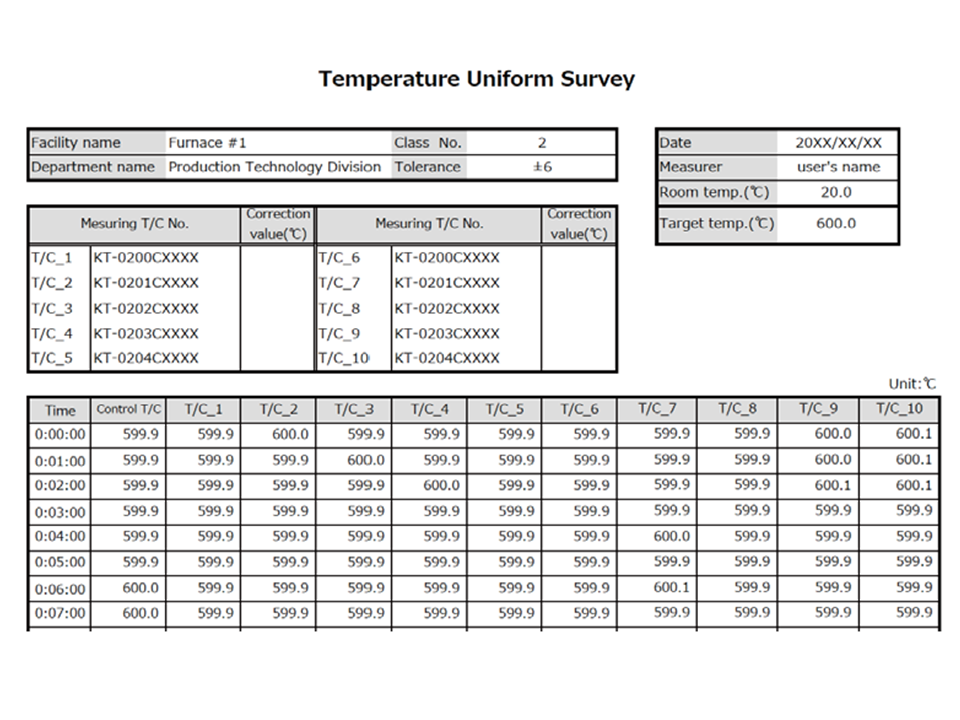
- Temperature data stability can be judged in three ways: "automatic," "semi-automatic," and "manual."
- Recording starts at the set temperature and ends automatically
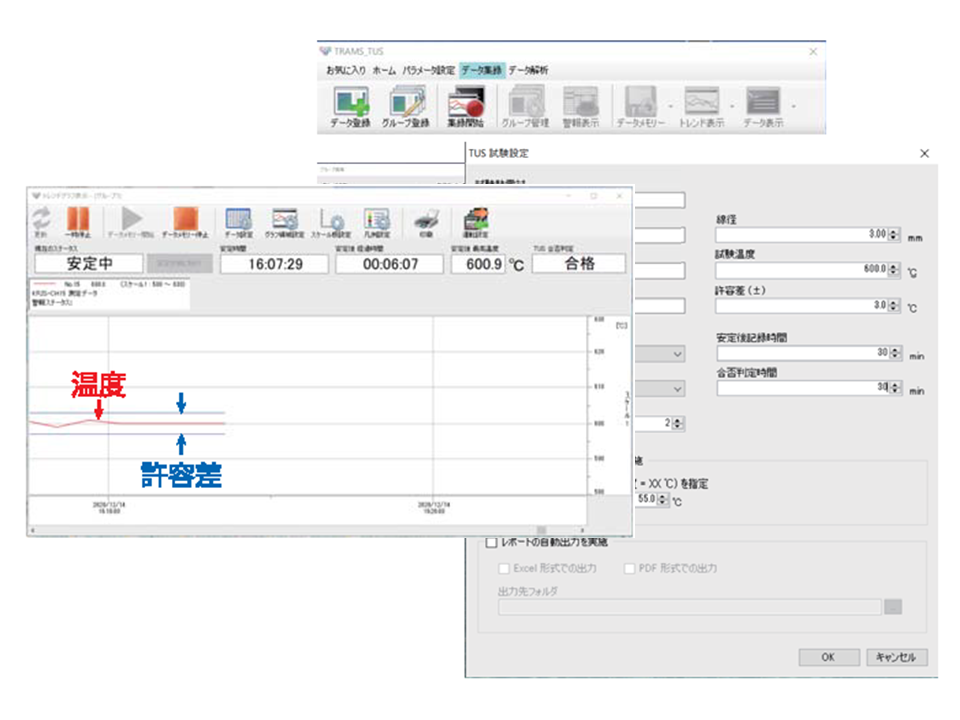
- Reports can be created arbitrary format using Excel
- Sample format also available
Application software overview
| Software Name |
Integrated package software TRAMS Ⅳ (Japanese version) |
| Compatible models |
Digital Indicating Controller DB600 Series
Digital Indicating Controller DB1000 Series
Digital Indicating Controller DB2000 Series
Digital Program Controllers and Setters KP1000/KP2000/KP3000 Series
Digital indicating controllers LT23A, LT23B, LT35A/37A, LT45A/47A (settings not supported)
Digital Indicating Alarm Meter DI5000
Web recorder SC5000 (configuration not supported)
PDF chart Graphic recorder KR2D00 Series / KR3D00 Series
Graphic recorder KR2S00 series / KR3S00 series
Graphic recorder KR2000 series / KR3000 series
High-performance graphic recorder KR2-H series / KR3-H series
KR series recorder with heat treatment support function
hybrid memory recorder AL4000 Series / AH4000 Series
hybrid Recorder KL4000 Series / KH4000 Series
hybrid recorders LE5100, LE5200 (settings not supported)
Graphical Program Controller/Setting Instrument DP1000G/DP2000G/DP5100G/DP3000G Series
high accuracy temperature converter KT-M
Data logger FE series (configuration not supported)
SE3000 Expansion Scanner
Network Logger KE3000 Series
Single-phase thyristor regulator JM series / JU series
Three-phase thyristor regulator JW series
Modular controller SB100 (settings not supported)
*Some settings may not be supported depending on the model.
|
| File size |
Approximately 12MB |
| Operating environment |
Supported OS |
Microsoft Windows 11
*The above operating systems must be able to install .NET Framework 4.7.2 or later.
|
| Memory capacity |
2GB or more |
| Disk space |
At least 2GB of free hard disk space |
| Monitor |
Screen resolution 1024 x 768 or higher
*Cannot be used in a multi-monitor environment with different scaling factors. |
| install |
Microsoft .NET Framework 4.7.2 |
Microsoft Excel 2016/2019/2021
*If not installed, the daily report output, monthly report output, and data list output functions will be limited. |
| Windows Media Player |
| Copyright holder |
CHINO Corporation |
| Reprint conditions |
Reproduction prohibited |
| File models |
Windows installer models (exe) |
| Revision history |
日本語版 Ver4.0.19.1
2026.6
|
TRAMS IV (Japanese version)
[Settings] Added a CSV output function for parameter settings items.
[Data Acquisition] Now supports data acquisition for the modular controller SB100.
[analyzing] Added a function to convert recorded files to CSV models.
We have added support for reading CSV models files recorded with the KR series.
|
|
Please click here for the revision history of the previous versions
|
How to install
When installing, please also refer to the instruction manual (Japanese) and instruction manual (English).
Download TRAMS.zip, unzip it, then double-click setup.exe to install.
*If an older version of TRAMS is already installed, please uninstall it before installing the new version of TRAMS.
Catalog
TRAMS integrated package software
TRAMS with TUS report output function
Instruction Manual
You can download the instruction manual here